What “AI-native ERP” actually means
In an AI-native ERP the assistant does real work through the same operations and permission checks as your team, instead of summarising exports. Here is what that looks like for one request, step by step.
"AI-native" gets put on a lot of software. Most of the time it means a chat window that can read some of your data and write a summary. That's useful, but it stops right where the work starts: it can tell you which invoices are overdue, and then you go and do the rest yourself.
In ERPoida the assistant works through the same operations a person uses: create an invoice, post it, record a payment, receive a purchase order, compute a payroll run, approve time off. It's easiest to see with one request.
One request, step by step
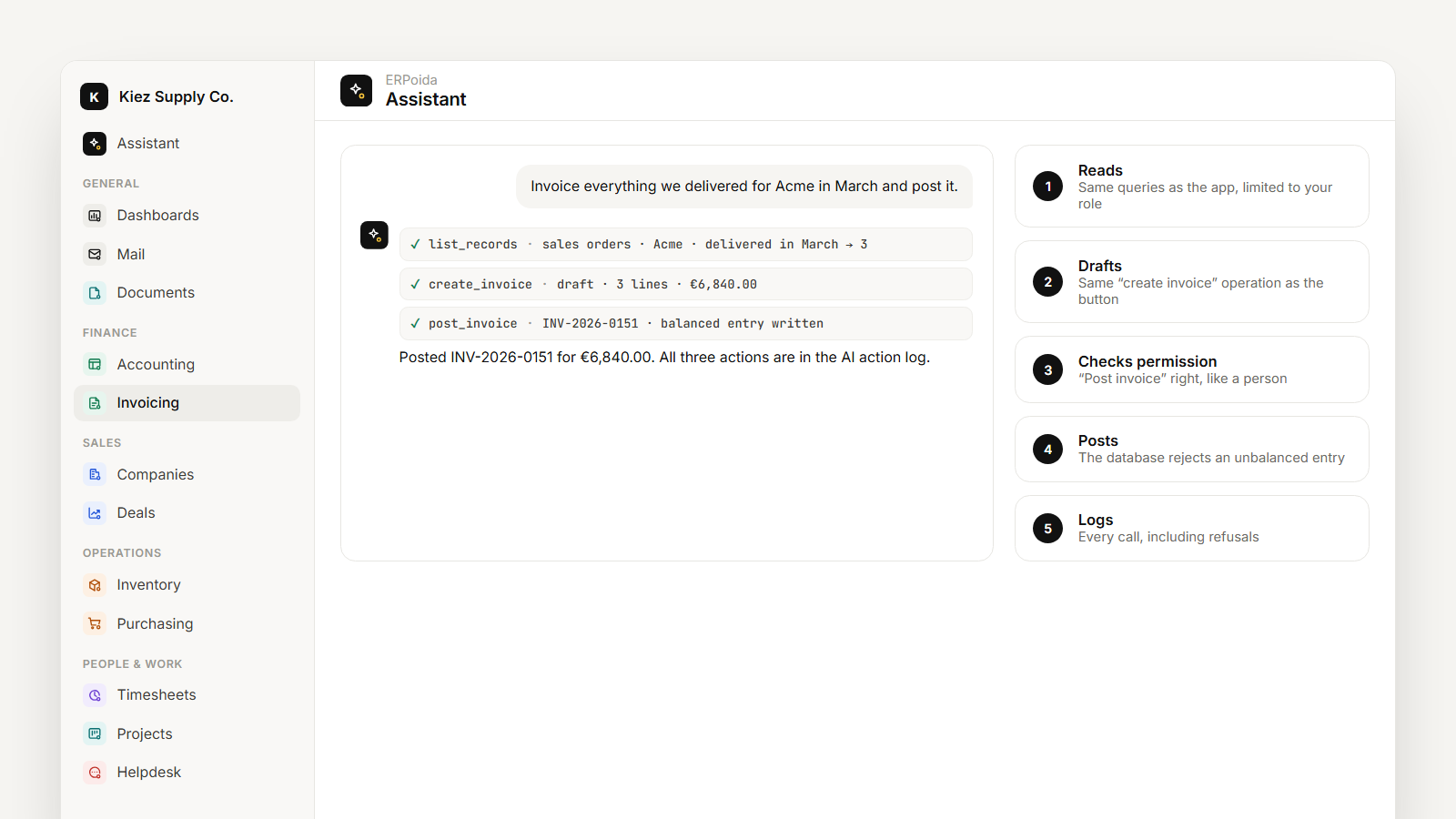
You type: "Invoice everything we delivered for Acme in March and post it."
- It reads. It lists March's delivered orders and billable hours for Acme, using the same queries the app uses, limited to what your role can see.
- It drafts. It creates a draft invoice with those lines. This is the same create invoice operation the button in the app calls, with the same validation: customer must exist, tax rules apply, amounts must add up.
- It checks your permission. Posting needs the post invoice right. If your role has it, the post goes ahead. If it doesn't, the assistant says so, and leaves the draft for someone who can.
- It posts. Posting writes a balanced journal entry. The database itself rejects an unbalanced one, so even a buggy request can't put the books out of balance.
- It logs. Every call (the reads, the draft, the post, and any refusal) is written to the AI audit log with who asked and what happened.
The result isn't a summary of what you could do. It's a posted invoice, in the books, with a trail.
It has no permissions of its own
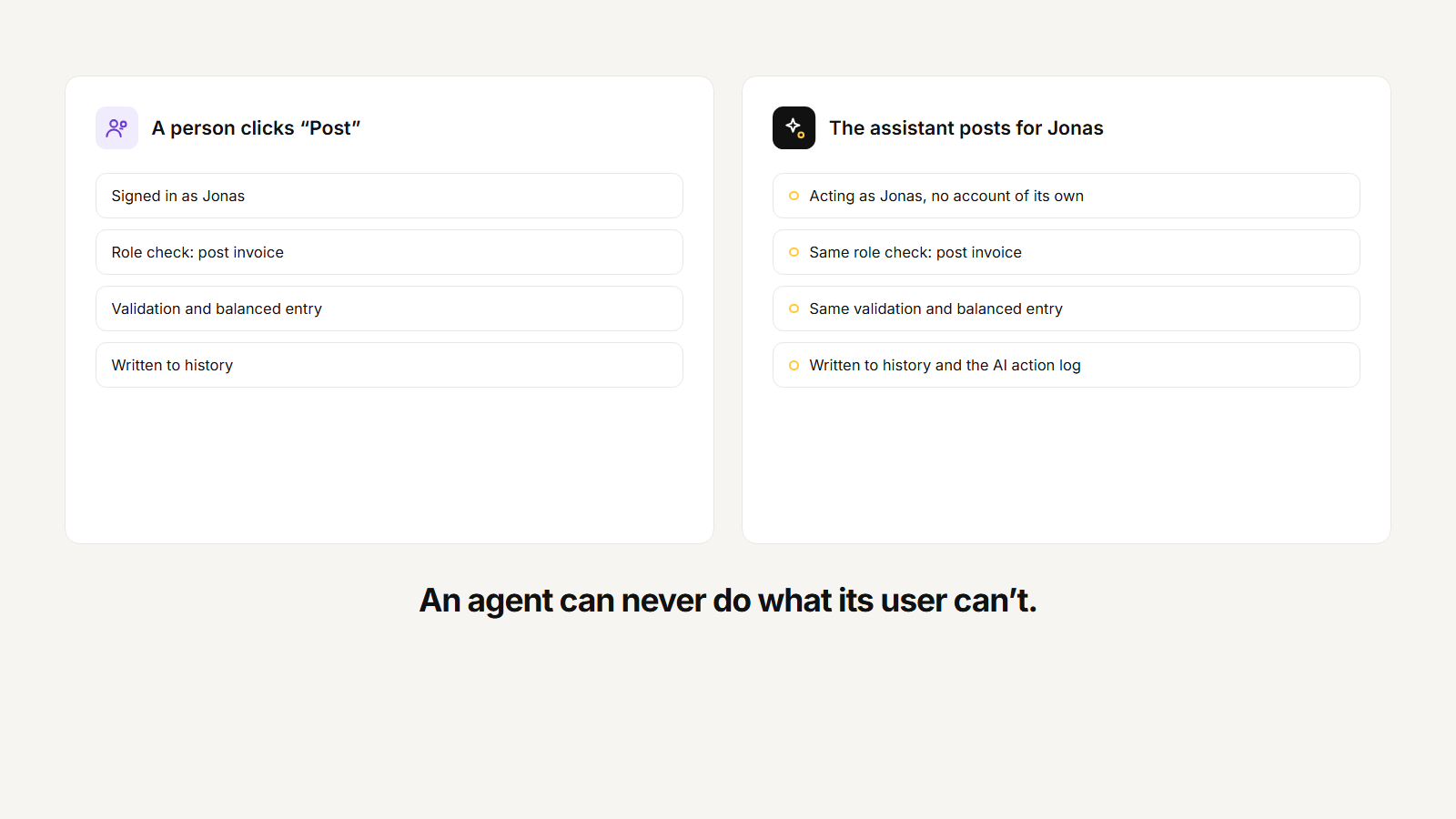
The assistant always acts as an authenticated person. There is no "AI admin" account with broad access. If you can't see payroll, it can't read payroll for you. If you can post invoices, so can it; if a flow requires approval above a limit, its invoices wait for the same approval. Outside agents connected over MCP, like Claude or ChatGPT, go through exactly the same checks.
That's what makes it safe to let it act: you don't have to trust the model, you only have to trust the permissions you already set for people.
Money and stock are protected below the AI
Custom objects and fields live in a flexible store you can change freely. Money and stock live in constrained tables where the rules are enforced by the database: an unbalanced posting is rejected no matter who asks, and every stock movement is recorded, so stock is always explainable. The assistant gets the flexibility of the first and the guarantees of the second.
What it means for a small team
| Chatbot on top of an ERP | ERPoida assistant | |
|---|---|---|
| Reads your data | Yes | Yes |
| Does the work (drafts, posts, records) | No | Yes |
| Same permission checks as people | No | Yes |
| Every action logged | Rarely | Yes |
In practice: fewer tabs, fewer exports, and the routine work (billing, chasing, logging) done by asking, with a record of exactly what happened. See it on real tasks in time tracking, invoicing and flows.