

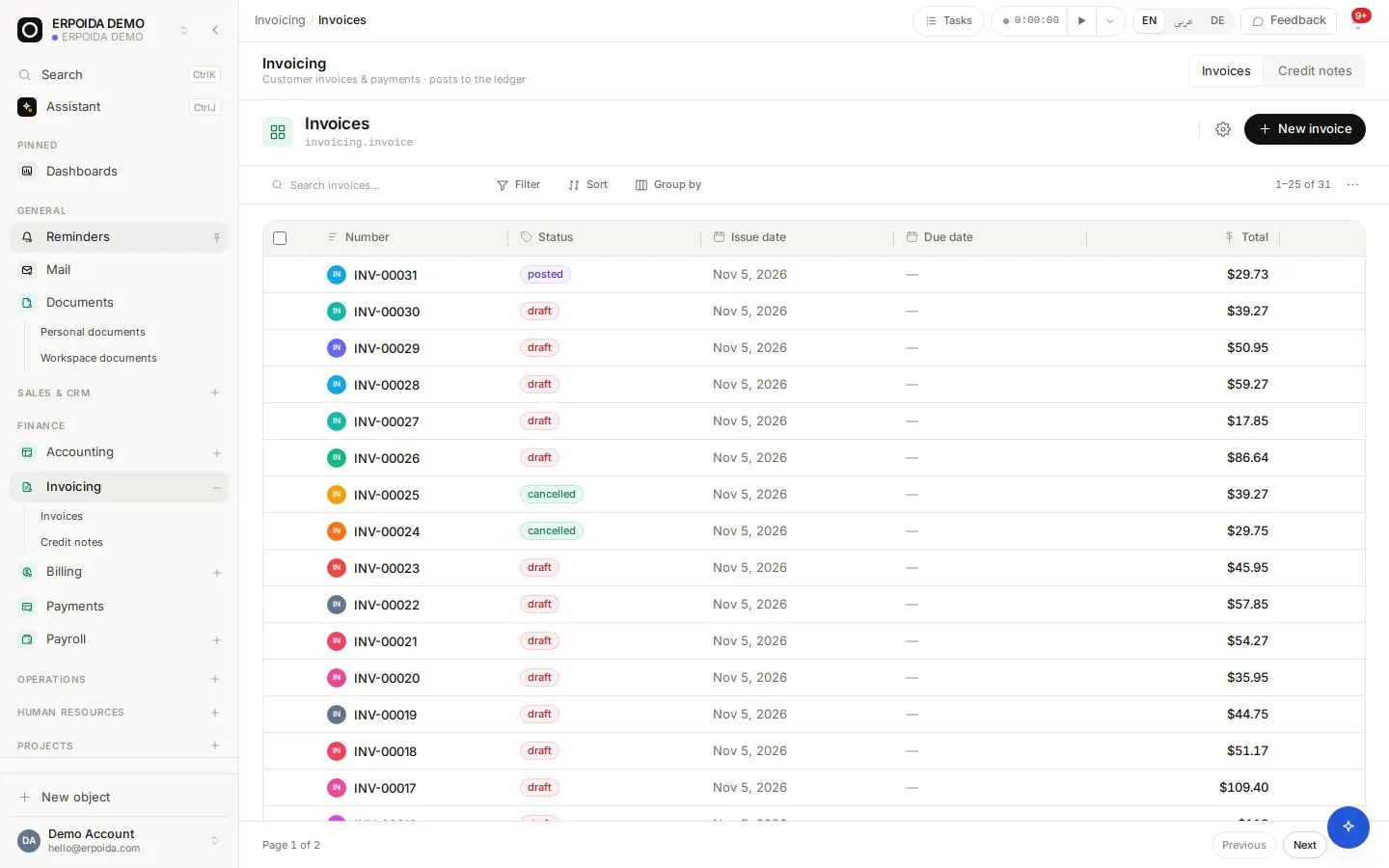
Invoicing turns what you sold into a real debt. An invoice starts as a draft you can change freely. Posting it locks the amounts and writes the balanced accounting entry for you. Billing adds a price catalog, recurring subscriptions, coupons and automated payment reminders on top.
What it does
Draft, post, get paid
Post a draft to lock it and create the ledger entry (receivable against revenue and tax). Record the payment against a money account when it arrives.
Prices and discounts
Picking a product fills in its sale price. Any line takes a percent or fixed discount, applied before tax so tax is computed on the discounted amount.
E-invoices checked before sending
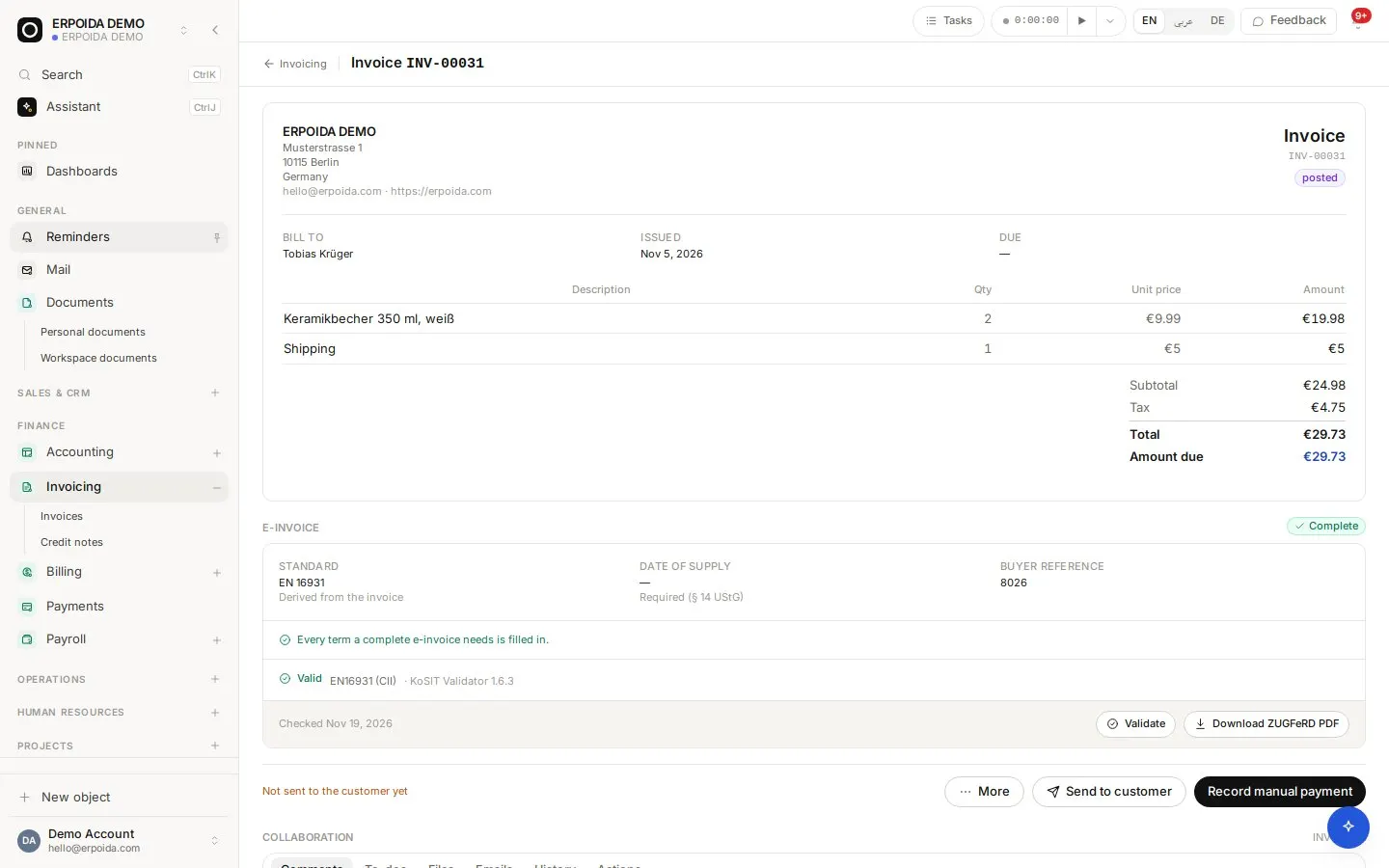
Each invoice shows whether every field an EN 16931 e-invoice needs is filled in, and is validated with the official KoSIT validator.
Subscriptions and coupons
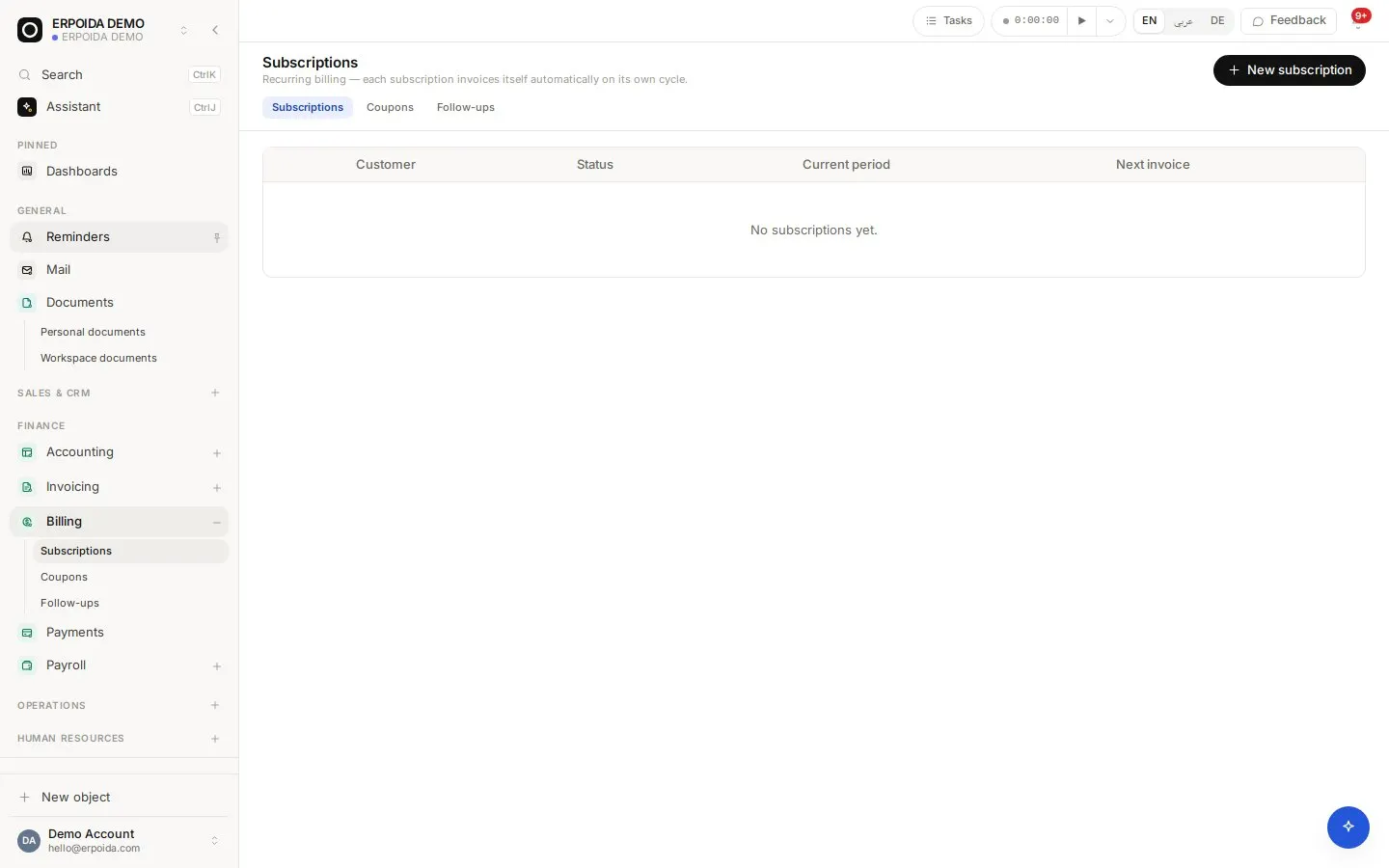
Bill a customer from the price catalog on a cycle; an invoice is created and posted automatically on each billing date. Coupons and promotion codes discount once, for set cycles or forever.
How to use it
Send your first invoice
- Open Invoicing and choose New invoice.
- Pick the customer, add lines from your products or type them, and add a discount if needed.
- Check the e-invoice panel shows every required field as complete.
- Post the invoice, then send it to the customer from the invoice page.
Start a subscription
- Add a recurring price to the product (edit the product, scroll to Prices).
- Open Billing → Subscriptions and create one for the customer with that price.
- Use Bill now to test it; a cycle already invoiced is never billed twice.
- Choose Cancel at period end or Cancel now when the customer leaves.
Tips and tricks
- Correct a posted invoice with a credit note instead of editing it; posted amounts are locked on purpose.
- Once a catalog price has been used on a posted invoice its amount is locked. Create a new price to change it going forward.
- Set a dunning policy with steps like -3, 0 and +7 days so reminders go out on their own. A new policy never emails invoices that were already overdue.
- Attach a payment term (for example a deposit plus installments) to split one invoice into a schedule.
Make it yours
Everything below is done in the app, without code, by anyone with admin rights. You can also ask the assistant to do it.
- Add your own fields to invoices or products, for example a project reference.
- Add an approval step with a flow, for example invoices over a set amount need a manager before posting.
- Use document templates for quotes and sales proposals, filled in from the customer record.
Ask the assistant
The assistant works through the same operations and permissions as you. Try:
- “Create a draft invoice for Tobias Krüger: 2 ceramic mugs and shipping.”
- “Post invoice INV-00031 and record the payment to the bank account today.”
- “Which invoices are more than 30 days overdue?”
Questions
Does ERPoida create XRechnung or ZUGFeRD invoices?
Invoices are checked against EN 16931, the European e-invoice standard behind XRechnung and ZUGFeRD, and validated with the KoSIT validator before you send them.
What is the difference between payment terms, subscriptions and reminders?
Pricing says how much, payment terms say when it is owed, subscriptions say how often a new invoice appears, and reminders chase the ones that are unpaid. Only the invoice is a real debt.