

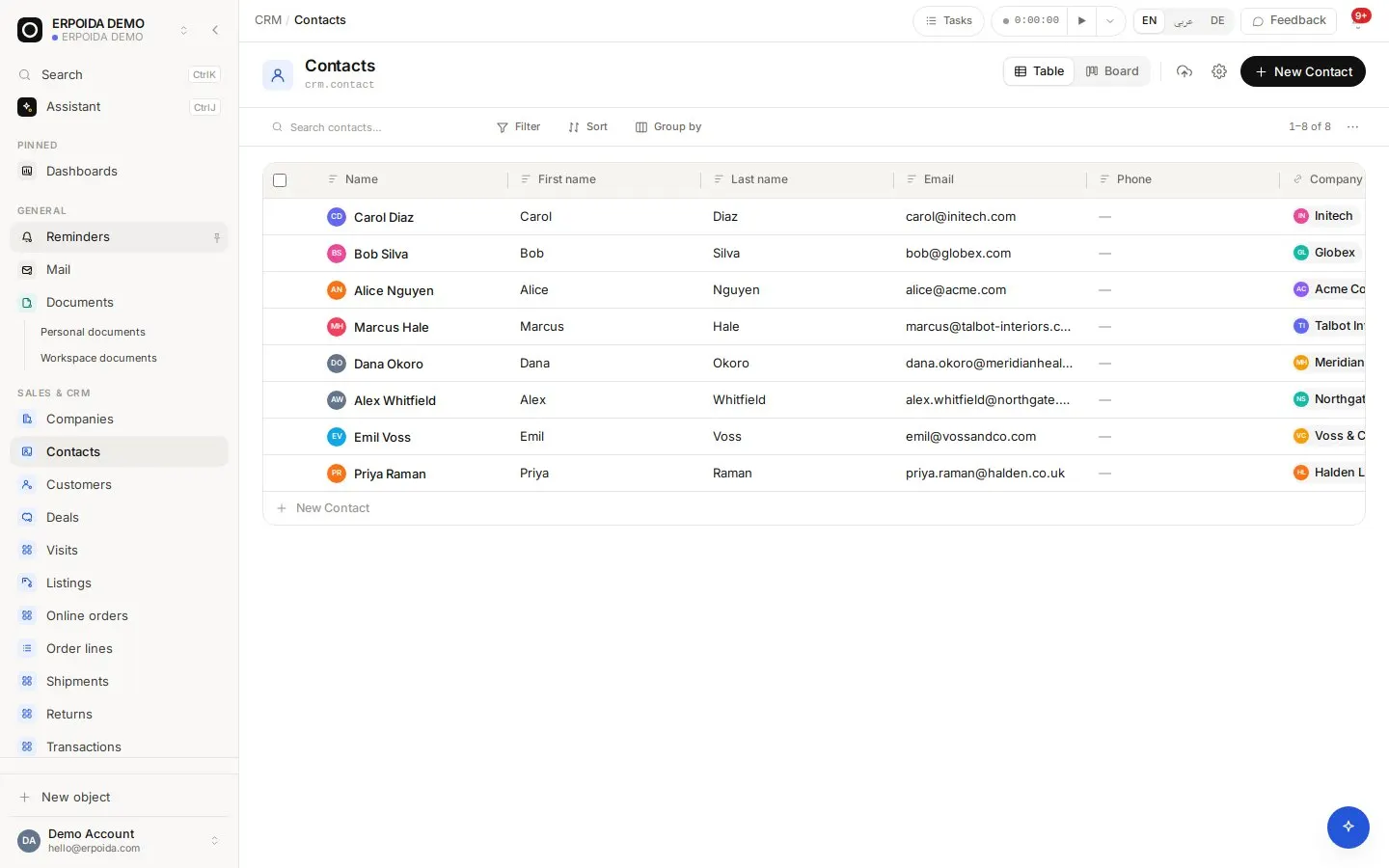
Contacts is the shared address book behind every other app. The same company is the customer on an invoice, the vendor on a purchase order and the requester on a support ticket, so details are entered once and stay current everywhere.
What it does
Companies and people
People belong to companies. Open a company to see its contacts, deals, invoices, tickets and emails as linked records.
Import with saved mappings
Bring a CSV in, map its columns to fields once and save the mapping as an import template for the next file.
Custom fields
Add the fields your business needs, such as a customer number, segment or preferred language, and they show up in every list, form and in the assistant.
History and comments
Every change is recorded with who made it and when. Comments and files sit on the record for the whole team.
How to use it
Import your address book
- Export your contacts from the old tool as CSV.
- Open Contacts or Companies and choose Import.
- Map each column to a field; create a field on the fly if one is missing.
- Save the mapping as a template, then run the import.
Keep a company complete
- Open the company and add its domain and size.
- Add the people you deal with as contacts linked to it.
- Link email threads from Mail so the conversation is on the record.
- Use the related chips to jump to its deals, invoices and tickets.
Tips and tricks
- Use multi-select filters (is any of) on select fields to build segments without extra fields.
- A public share link on a filtered view lets a partner see a live list without an account; revoke it any time.
- Search with Ctrl+K from anywhere to jump straight to a contact.
Make it yours
Everything below is done in the app, without code, by anyone with admin rights. You can also ask the assistant to do it.
- Add a relation field from Contacts to your own objects, for example to properties or projects.
- Create a view per segment with its own columns and save it for the team.
- Add a flow that notifies the account owner when a new contact is created for their company.
Ask the assistant
The assistant works through the same operations and permissions as you. Try:
- “Find all contacts at Northgate Supply and show their emails.”
- “Create a company Voss & Co with domain vossandco.com and size 11-50.”
- “Import this CSV into Contacts using my saved template.”
Questions
Are customers and vendors separate lists?
No. A company is one record; invoicing uses it as a customer and purchasing as a vendor, so its details never drift apart.
Can I bring in contacts from HubSpot or spreadsheets?
Yes, through CSV import with a saved column mapping, or automatically through an integration or the API.