

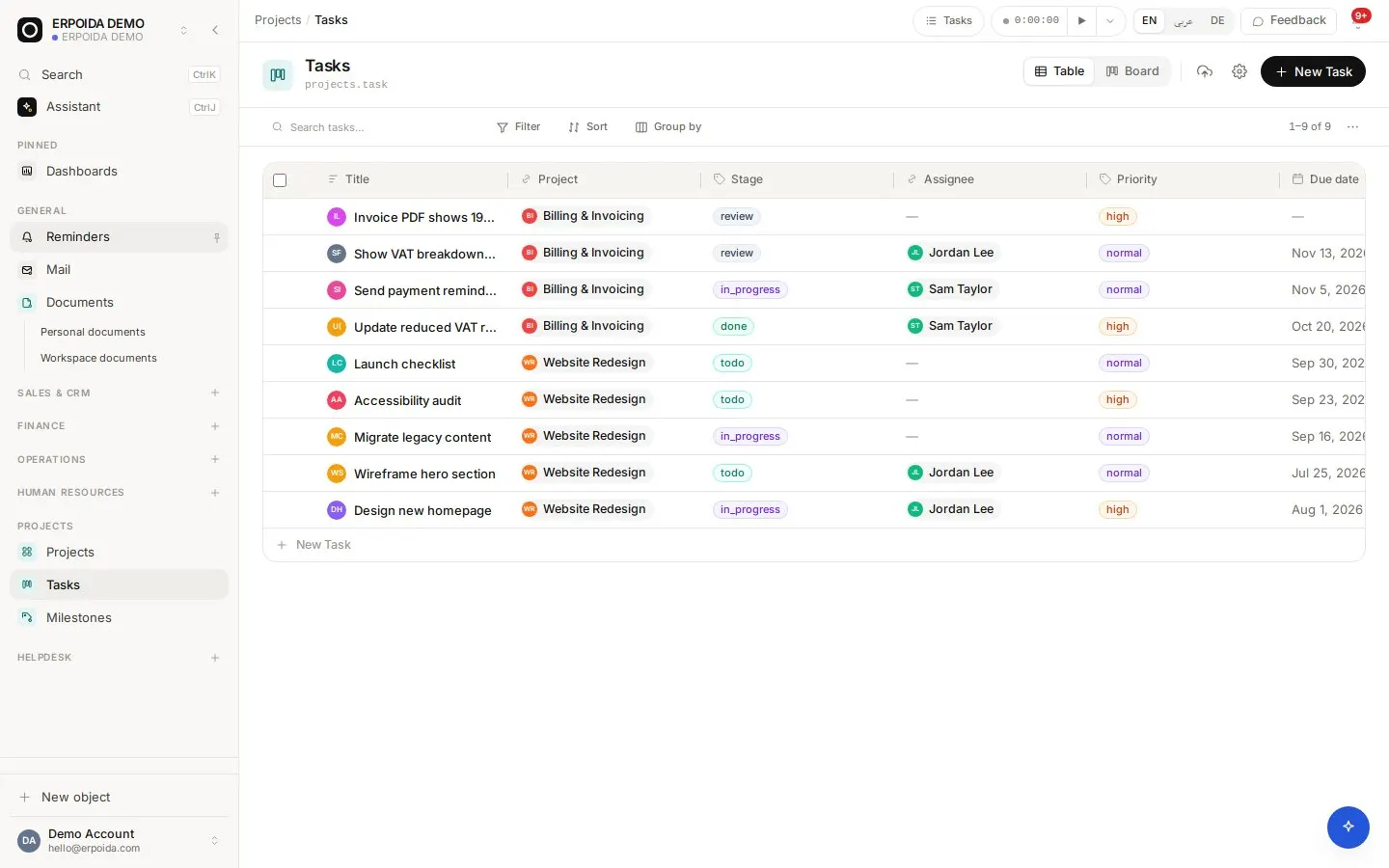
Projects organizes work into projects, tasks and milestones. Tasks move through stages on a board, carry an assignee, priority, due date and estimate, and can be split into subtasks. Time tracked on a task lands in timesheets, ready for payroll and invoicing.
What it does
Tasks on a board
Group tasks by stage and drag them along; switch to a table to sort by due date or priority.
Subtasks and milestones
Split a task with a parent link, and mark milestones as reached.
Time on tasks
Start the timer from a task or the top bar; hours go to timesheets and project analytics.
Comments, files and history
Discuss work on the task, attach files, and see every change with who made it.
How to use it
Start a project
- Create the project with status, start and due date.
- Add tasks with assignee, priority, due date and estimate.
- Add milestones for the dates that matter to the client.
- Work the board day to day and track time on each task.
Bill a project's time
- Open timesheet analytics and filter by project and month.
- Check the hours per task and person.
- Create the invoice for the client in Invoicing.
- Mark the milestone as reached.
Tips and tricks
- Save a 'My tasks' view filtered to yourself and pin it.
- Use the Overdue date preset on the board to see what slipped.
- Ask the assistant to create a set of tasks from a short brief.
Make it yours
Everything below is done in the app, without code, by anyone with admin rights. You can also ask the assistant to do it.
- Add task fields such as client approval or story points.
- Change the Stage options to match your process.
- Add a flow that notifies the assignee when a task becomes due tomorrow.
Ask the assistant
The assistant works through the same operations and permissions as you. Try:
- “Create five tasks for the website launch, due next Friday, assigned to me.”
- “Which tasks are overdue across all projects?”
- “Start a timer on 'Homepage redesign'.”
Questions
Is there a Gantt view?
Objects support Gantt, calendar, board and table views, so a project's tasks can be shown on a timeline by their dates.
Can clients see progress?
Yes, with a public share link on a filtered view. It is read-only and can be revoked.