Time tracking for support teams: what each client really costs
Support work happens in calls and email threads, so it rarely shows up in timesheets. Log it per client while you talk, and you finally see which customers take the most time, and whether their plan pays for it.
Ask a support team how much time goes to each client and you'll hear "Müller GmbH calls a lot". That's probably true, but it isn't a number. Support work happens in phone calls, chats and email threads, not in tasks with a start button, so it almost never makes it into a timesheet. And without the number, nobody can say whether a client's plan actually covers what they cost.
The setup: one support task per client
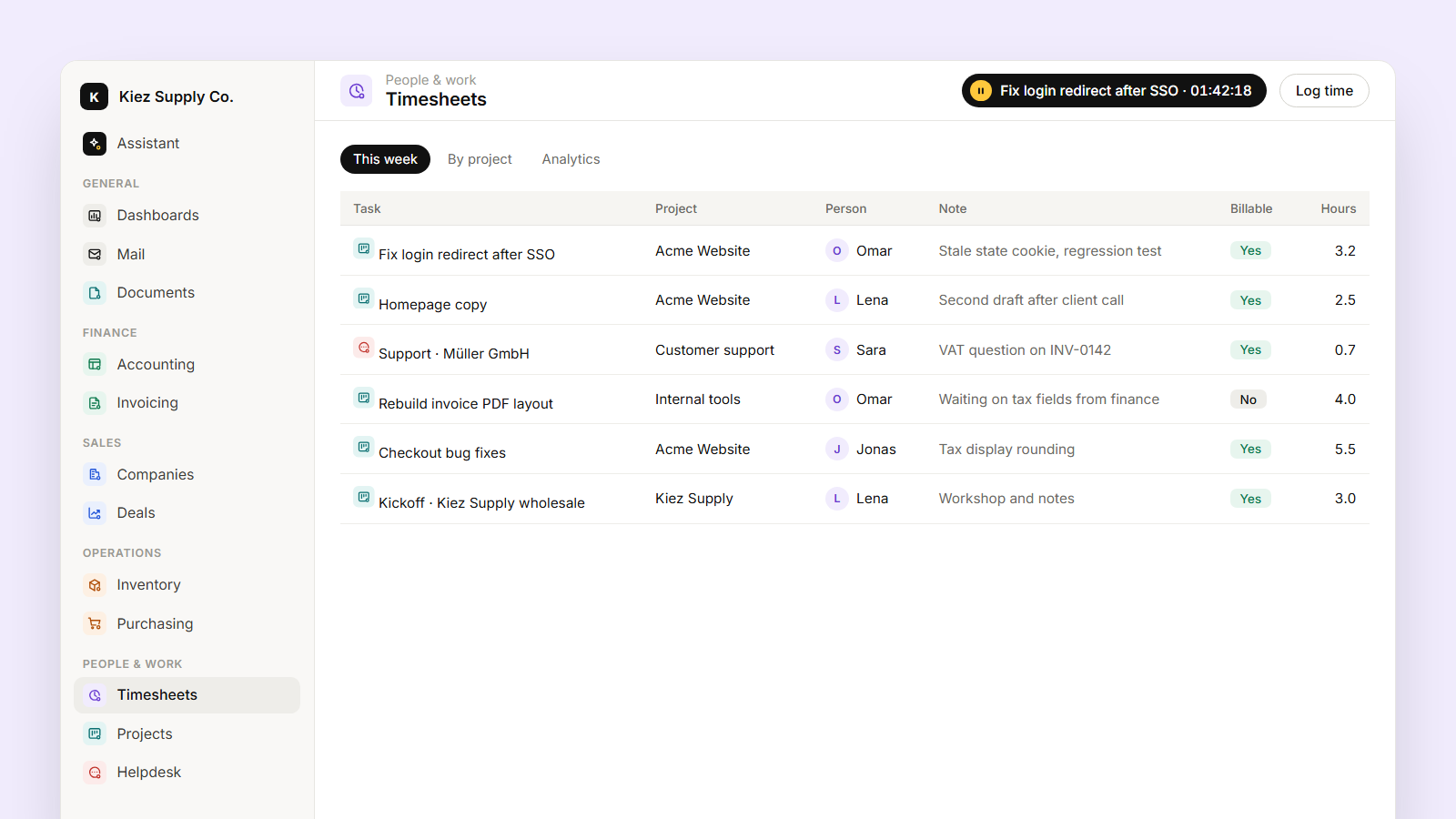
Create a support task per client, for example Support · Müller GmbH, inside a Customer support project. That's the place support time lands. Tickets keep their own history in Helpdesk; the task is simply where the hours for that client accumulate, marked billable or not depending on the contract.
This takes five minutes, and you can ask the assistant to do it: "Create a support task for each active customer in the Customer support project."
During the day: log while you talk
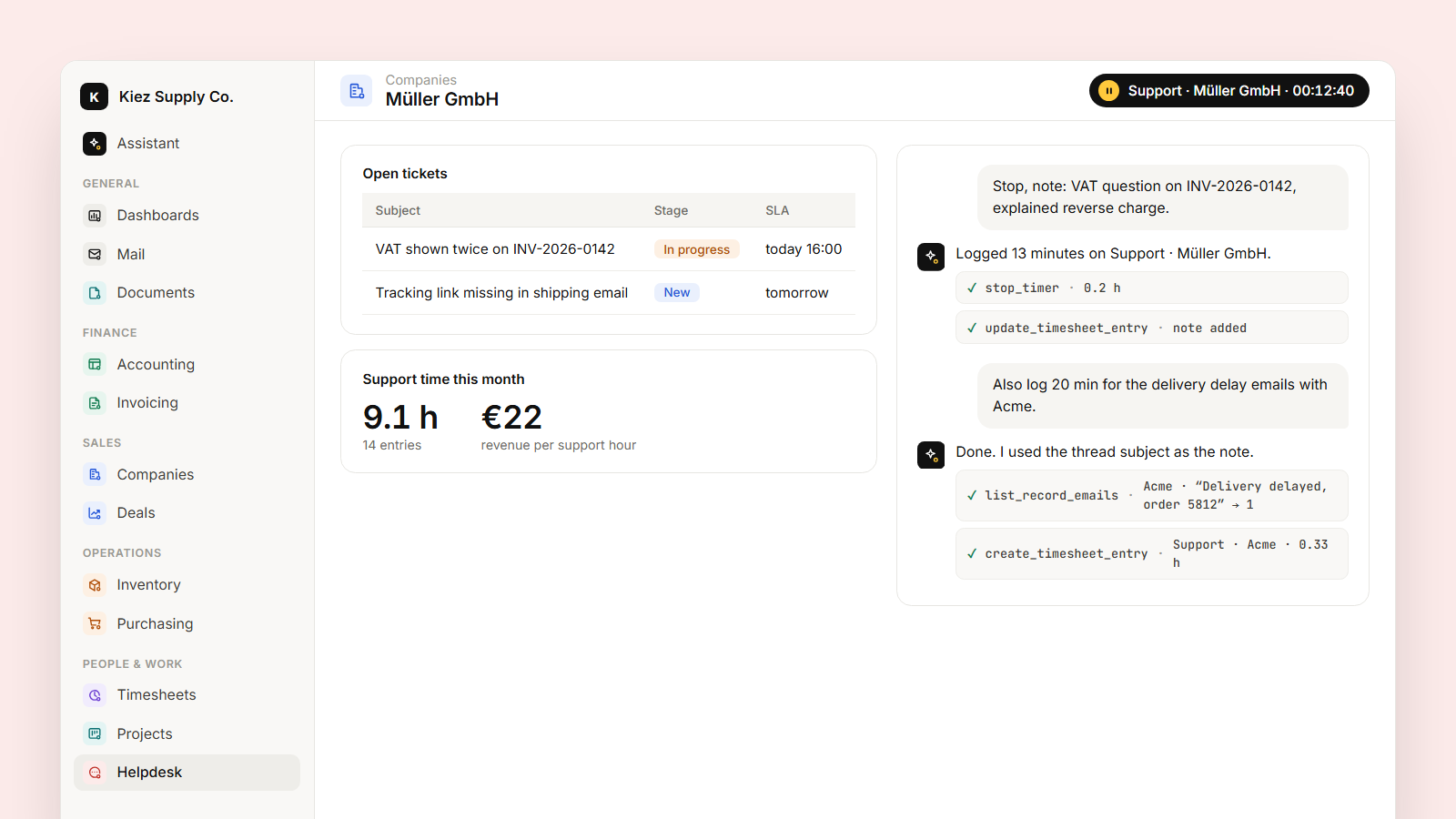
A client calls. Before you pick up, you say "start support for Müller". The timer runs on Support · Müller GmbH. When you hang up: "stop, note: VAT question on invoice INV-2026-0142, explained reverse charge". The entry has the time and a sentence that says what happened.
For email threads it's usually easier after the fact: "Log 20 minutes on Acme support for the delivery delay emails." If the thread is linked to the client's record, the assistant can find it and put the subject in the note for you.
Short notes matter more than you'd think. Six months later, "40 min" is just a number. "VAT question on INV-0142" tells you the invoice layout is confusing people.
What you see after a month
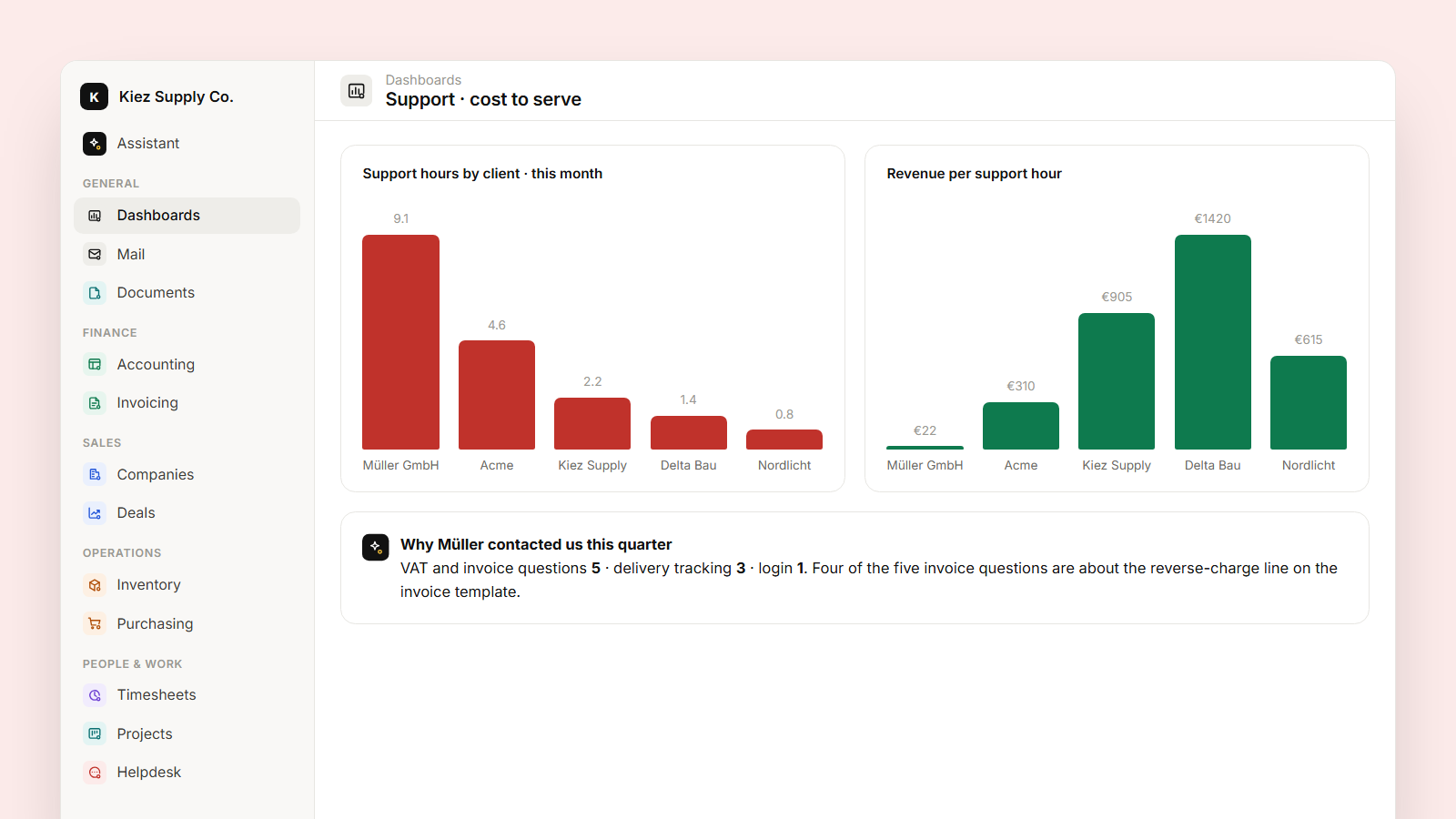
Because the time sits on per-client tasks, and the client's invoices are in the same system, you can put the two side by side:
- Support hours per client, this month and the last six.
- Revenue per support hour. A client paying €200 a month who takes nine hours of support is a different conversation from one paying €2,000 who takes two.
- What the time was about. Ask the assistant to read the notes and group them: "What were the main reasons Müller contacted us this quarter?" It comes back with VAT and invoice questions (5), delivery tracking (3), login (1), with the entries behind each.
That last one is where support time stops being a cost and starts being input: a confusing invoice template, a missing tracking email, a feature people can't find.
Making it a habit
- A flow can remind the team at 17:00 if nobody logged support time that day.
- Put support hours by client and revenue per support hour on the team dashboard, so it's looked at without anyone asking.
- For clients on a support retainer, a custom object with the hours included per month lets you ask "Which clients are over their support hours?"
The broader idea behind all of this is in Time tracking that knows what the time was for.