Custom objects and fields without code: make ERPoida fit how you work
Most companies track something their ERP has never heard of. In ERPoida you add it as an object, and it gets everything the built-in ones have: views, relations, history, flows and the assistant. One example from start to finish.
Every business tracks something a standard ERP doesn't know about. A service company has machines at customer sites. An agency sells retainers. A shop tests samples from new suppliers. It ends up in a spreadsheet next to the ERP, and after a few months nobody trusts which one is right.
In ERPoida you add it as an object: a table of records with your own fields. It isn't a second-class add-on. It gets the same things as Invoices or Deals: table, board, calendar, timeline and chart views; filters, sorting and grouping; relations to other records; comments, files and full change history. Flows and the assistant can use it the moment it's saved.
Here's one, end to end.
The example: equipment at customer sites
A small HVAC service company installs and services units at customer buildings. Each unit needs a service every six months, and the contract says the customer gets a call two weeks before.
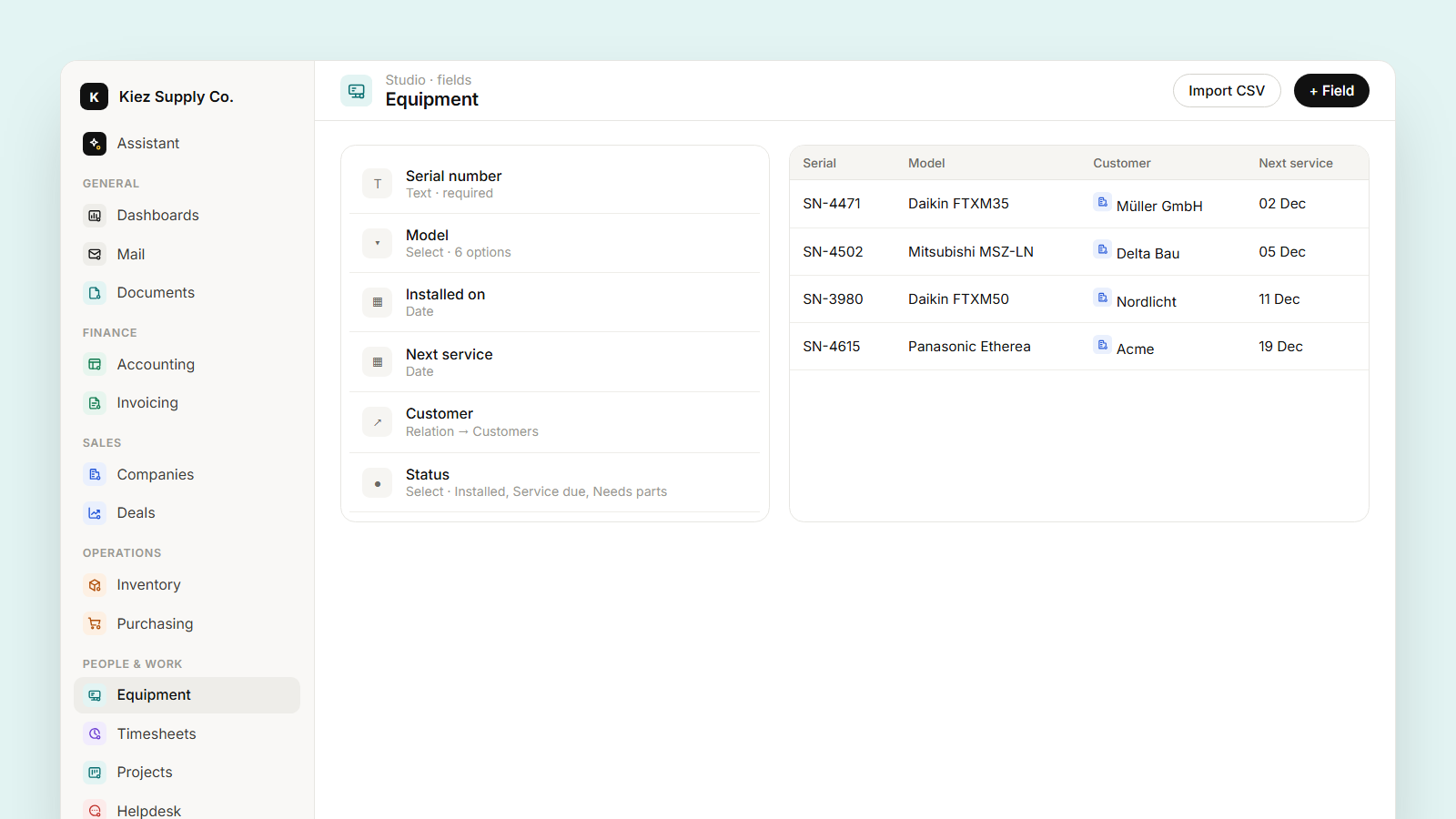
1. Create the object. In Studio, add an object Equipment. Or tell the assistant: "Create an Equipment object with serial number, model, installed on, next service date and a relation to customer."
2. Pick the field types. Serial number is text, model is a select (so the list stays clean), installed on and next service are dates, and Customer is a relation to the existing customers. That relation is the important part: on the customer's page you now see their equipment, and on the equipment you see the customer's address and contacts.
3. Import what you have. Upload the old spreadsheet as CSV and map the columns once. The mapping can be saved for next time.
Views that do the work
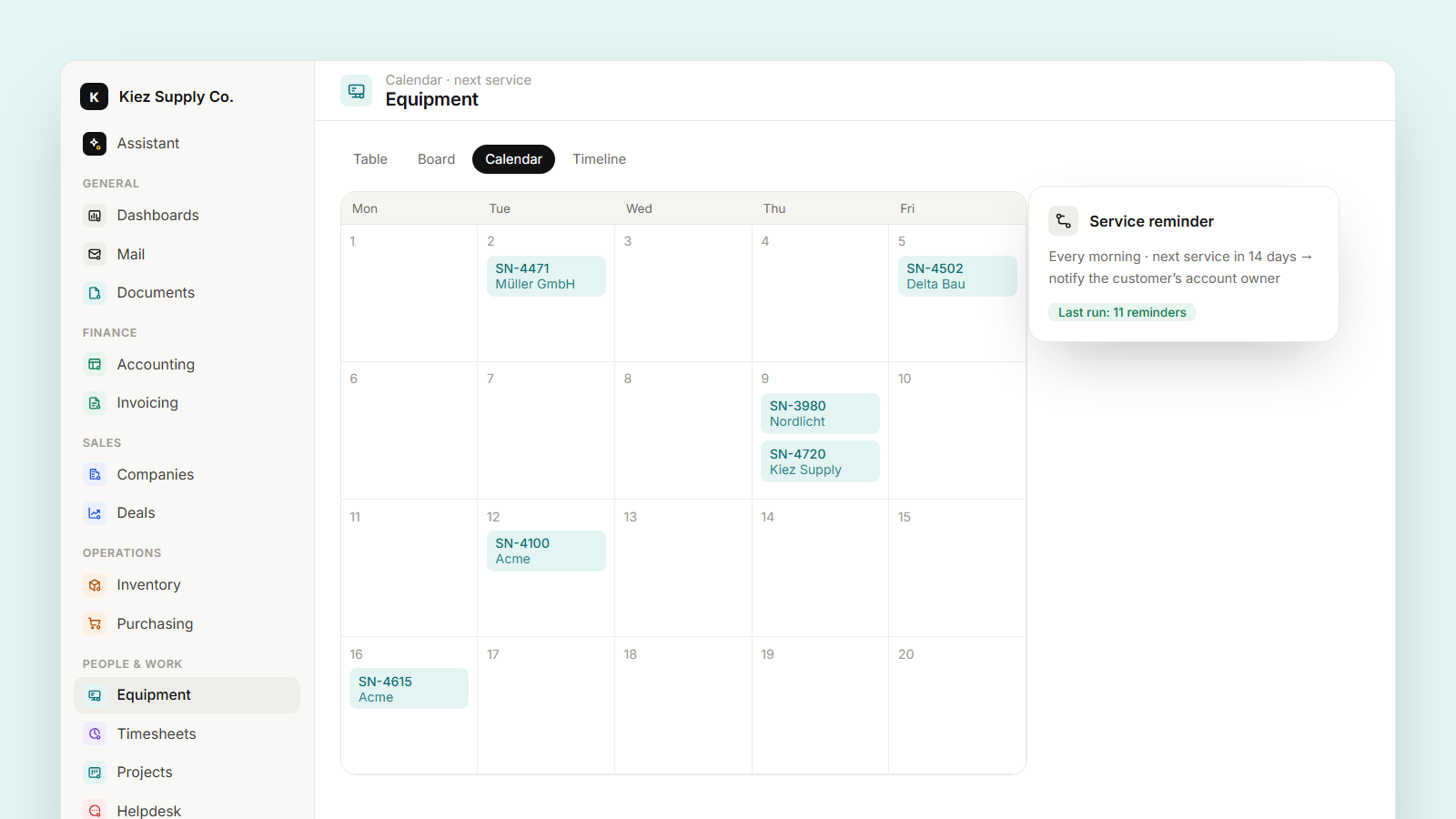
The same records, three ways:
- Calendar on next service date: this month's visits at a glance, drag a service to move it.
- Board by status (Installed, Service due, Needs parts): what the technicians look at in the morning.
- Table saved as Service due in 30 days: filtered, sorted by date, shared with the dispatcher.
Make it act on its own
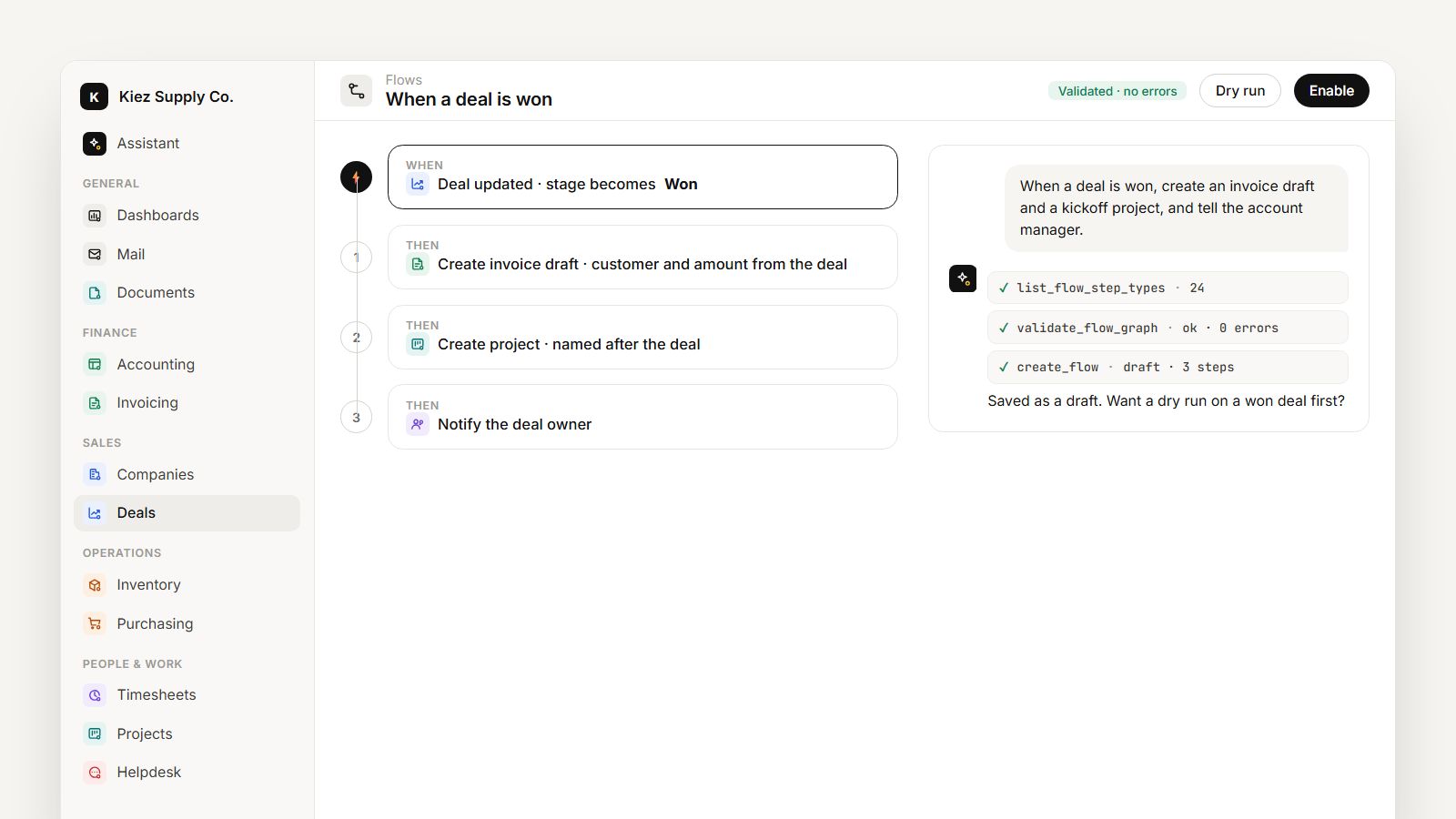
Add a flow: "Every morning, find equipment with next service in 14 days and notify the account owner of the customer." The flow runs on a schedule, and every run is logged, so you can see it sent eleven reminders on Monday and why.
And the assistant knows the object as soon as it exists: "Which customers have equipment that's overdue for service?" or "Log a service visit for unit SN-4471 today and set the next one in six months."
Sometimes it's just one field
Not everything needs an object. Finance wants a credit limit on customers; sales wants a follow-up date on deals. Add the field to the existing object and it appears in forms, views and filters right away. Then "Which customers are over their credit limit?" is a question you can ask, and a flow can warn finance before a new order goes over it.
When the model grows, "Describe our data model" lists every object, field and relation, and "Which fields on deals are almost never filled in?" shows you what to remove.